
If you’ve ever dragged your bins to the curb, only to realize collection was yesterday—or next week—you know how frustrating a missed trash pickup schedule can be. Between work, family, and everything else, it’s easy to lose track of which cart goes out when, holiday changes, or special bulk pickup days. The good news: with a few simple systems and tools, you can make “Oops, I forgot the trash” a thing of the past.
This guide walks you through practical, low-effort ways to track your collection days, handle schedule changes, and stay organized all year long.
1. Know your local trash pickup schedule basics
Before you can optimize anything, you need to clearly understand the basics of your local schedule.
Find your official schedule
Most city or county sanitation departments publish an online trash pickup schedule and recycling calendar. Look for:
- A “Solid Waste,” “Sanitation,” or “Public Works” section on your city’s website
- Address-based lookup tools (“Find my collection day”)
- Downloadable yearly calendars in PDF form
Many municipalities also mail printed schedules at the start of the year. Don’t toss that—post it somewhere visible, like the fridge or a bulletin board.
If you’re unsure where to start, search online for:
[your city] trash pickup schedule
or
[your county] solid waste collection calendar.
Understand what’s collected when
Your schedule may include:
- Trash (garbage) – usually weekly
- Recycling – often every other week
- Yard waste – seasonal or weekly/biweekly
- Bulk/large item pickup – by appointment or on set days
- Hazardous waste drop-offs – special events, not curbside
Knowing which stream is collected on which day helps you prep the right cart and avoid leaving the wrong bin at the curb.
2. Turn your trash schedule into a visual system at home
Once you know your official collection days, make them impossible to forget.
Post a visible monthly calendar
Print a simple monthly calendar and mark:
- Weekly trash days
- Recycling weeks
- Yard waste weeks
- Bulk pickup dates or appointments
Place it where you’ll see it daily: fridge, back door, or near your keys. A simple color-coding system (e.g., blue for recycling, green for yard waste) makes it readable at a glance.
Align the schedule with your daily habits
Choose a consistent “trash prep” time that fits your routine, such as:
- After dinner the night before collection
- Right after taking the dog out in the evening
- When you close up the kitchen for the night
Tie it to something you already do so it becomes automatic, not another new task to remember.
3. Use digital tools so you never miss a collection
Paper calendars help, but digital reminders are even more reliable—especially for handling exceptions and holiday changes.
Set recurring reminders on your phone
Use your phone’s calendar or reminders app:
- Create weekly recurring events for trash day
- Add biweekly events for recycling, matching your official trash pickup schedule
- Schedule reminders for the night before and optionally the morning of collection
Name them clearly, such as “Put out trash + recycling” or “Yard waste to curb.” Include notes like “Roll carts out by 7 a.m.”
Sync with official collection apps (when available)
Many municipalities and private haulers now offer apps or email/text alert systems that:
- Send reminders the day before pickup
- Notify you of holiday delays
- Announce special collection events (e.g., electronics recycling)
Check your local sanitation department’s site for an app or email signup. Some also support calendar feeds you can subscribe to in Google Calendar or Outlook.
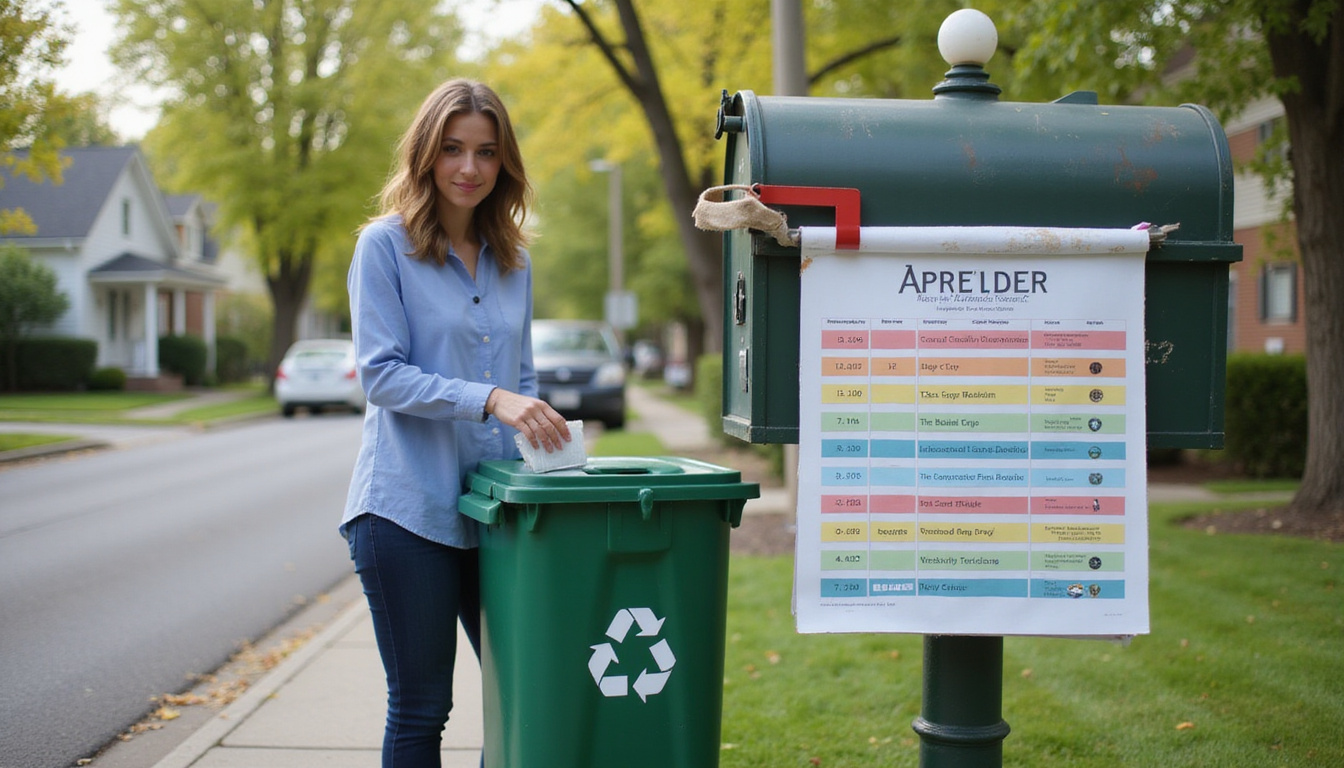
4. Plan for holidays and special schedule changes
Holiday shifts are one of the most common reasons people miss a pickup.
Learn your hauler’s holiday rules
Most services adjust the trash pickup schedule for these major holidays: New Year’s Day, Memorial Day, Independence Day, Labor Day, Thanksgiving, and Christmas.
Common patterns include:
- One-day delay for the rest of the week (e.g., Thursday pickup moves to Friday)
- One-day advance (less common)
- Skipping the holiday only if it falls on your collection day
Your hauler’s calendar or announcements should explain the pattern. Note these changes on your calendar or in your digital reminders ahead of time.
Watch for weather-related changes
Extreme weather—snowstorms, hurricanes, flooding—can also disrupt collection. When forecasts look serious:
- Check your city’s website or app for updates
- Follow the sanitation department on social media
- Sign up for text alerts if available
Adjust your reminders accordingly, so you’re not dragging carts out unnecessarily—or forgetting after a makeup day is announced.
5. Organize your home to make trash day easier
Even with a perfect trash pickup schedule system, if your bins are a mess or hard to reach, you’re more likely to skip or delay taking them out.
Make bins easy to access
- Store carts near an exit you already use (garage door, side door)
- Keep a clear pathway to the curb so rolling bins out is quick
- Ensure lids are easy to open and not blocked by stored items
If it takes you 10 minutes to dig bins out from behind boxes every week, you’re more likely to procrastinate and forget.
Standardize indoor trash routines
Set up a simple, consistent flow:
- Every evening (or specific nights), empty indoor trash cans into a central kitchen or hallway bin.
- On collection night, bag everything up and take it straight to the outdoor cart.
- Do a quick walk-through to check bathrooms, bedrooms, and home office bins.
When your indoor system is predictable, the weekly curb routine becomes much faster and easier.
6. Make recycling and yard waste part of the rhythm
Many people remember trash day but forget recycling or yard waste on alternating weeks.
Keep a visible reminder for recycling weeks
If your recycling is every other week:
- Mark “R” or use a blue sticker on the correct weeks of your wall calendar
- Set a separate recurring reminder titled “Recycling this week”
- Place a small note near your main indoor trash can for recycling weeks
Some households even hang a reusable tag on the back door that flips between “Trash Only” and “Trash + Recycling” depending on the week.
Prep yard waste in advance
For yard waste collection:
- Store bags, twine, and containers in one place near your tools
- Plan yard work days so that fresh clippings and leaves go out before pickup
- Check size and weight limits on branches and bags per your hauler’s rules
If yard waste isn’t set out consistently, it can quickly pile up and become overwhelming.
7. Coordinate with everyone in the household
If you’re the only one tracking the trash pickup schedule, missing a week is more likely when you’re busy, sick, or out of town.
Share the schedule
- Add collection days to a shared family calendar (Google, iCloud, etc.)
- Post the printed schedule where everyone can see it
- Explain which cart goes out when, especially to older kids and teens
Assign backup responsibility
Choose a “backup person” who handles:
- Rolling bins out if you’re not home
- Bringing carts back in after they’re emptied
- Double-checking the right bins are out for that week
Turn it into a routine chore, not a last-minute scramble.
8. Handle extra trash and bulk items without surprises
Overflowing bins and last-minute cleanouts can derail an otherwise orderly system.
Know your overflow options
Check your trash pickup schedule and service rules for:
- Extra bag policies – Are you allowed to place additional bags beside the cart?
- Weight and volume limits – Most carts and bags have specific limits
- Pay-per-bag stickers or tags – Some areas require special tags for overflow
Planning ahead avoids rejection tags or surprise fees.
Schedule bulk or special pickups early
Large items (furniture, appliances, mattresses) usually require:
- A scheduled bulk pickup on specific days
- Drop-off at a transfer station or landfill
- Special handling for appliances with refrigerants or electronics
Bulk pickup slots sometimes fill up around moving seasons or holidays. Schedule well ahead when possible.
For hazardous materials like paint, automotive fluids, pesticides, or batteries, use your city’s published guidelines and events; improper disposal can harm the environment and is often illegal (EPA household hazardous waste guidance – source).
9. Use simple habits to make remembering automatic
You don’t need complex systems; a few smart habits can make trash day second nature.
Try implementing:
- Same-time-every-week rule – Example: “Bins go out right after Wednesday dinner.”
- Visual trigger – Place your outdoor carts where you see them when pulling into the driveway the night before pickup.
- Closing checklist – Create a short “end of day” checklist on collection night: lock doors, set alarm, take out trash.
The fewer decisions you have to make, the more likely you’ll follow through consistently.
FAQ: trash pickup schedule and collection timing
How do I find my local trash collection schedule?
Search your city or county’s website for “solid waste,” “sanitation,” or directly for “trash collection schedule” plus your city name. Many areas offer an address lookup tool that tells you your trash day, recycling weeks, and yard waste pickups. If you use a private hauler, check their website, app, or contact customer service for your specific trash pickup schedule.
What should I do if I miss my garbage pickup day?
If you miss your garbage pickup date, first check whether trucks are simply running late. If they’ve clearly passed and your cart was out too late or not at all, you usually have three options: wait until the next scheduled pickup, request a fee-based extra collection if your hauler offers it, or take trash to a local transfer station or landfill. To prevent repeats, set recurring reminders that match your garbage pickup schedule.
How do holidays affect the weekly trash pickup calendar?
Most haulers publish a yearly trash pickup calendar that highlights holiday changes. Typically, if a major holiday falls on or before your regular pickup day, your collection shifts one day later for that week. Always verify with your local sanitation department, as some services run on all holidays except a few, while others adjust the entire week’s schedule.
Staying on top of your trash pickup schedule doesn’t have to be complicated. Combine a clear understanding of your local rules with simple reminders, visible calendars, and household coordination, and you can put trash day on autopilot.
If you’re ready to stop guessing and start feeling in control, take 10 minutes today to pull up your community’s official schedule, add it to your phone or wall calendar, and set recurring reminders. A tiny bit of planning now will save you from missed collections, overflowing bins, and last-minute stress for the rest of the year.
Junk Guys San Diego
Phone: 619-597-2299
Website: www.olive-deer-348861.hostingersite.com
Email: junkguyssd619@gmail.com